 Harness Workshop
What it does
Everything here is in the free version, the simulator included. Printing, exporting, backups and saving more than one harness need a licence. The recordings are the app itself.
Draw the bundle
Click along the trunk, click off it to branch. It does not need to be to scale.
- Type the measured length on each section; guesses stay marked until you do
- Coverings, grommets and where it passes through a panel
- Put an in-line connector anywhere along a run
- Trace over a photo, a PDF or a DXF
Drop on the parts
Search the list, click the part, click where it goes.
- 540 parts, listed by what they are, with a brand filter
- Batteries, chargers and solar, fuse blocks, relays, switches, lights, sockets, connectors and plugs
- Fuse boxes, switch panels, bus bars, light bars and mine bars are built from settings, so one part covers every size
- Make your own part or connector once and it is there for every job
- Parts on typical figures carry a diamond until you tick them as checked
Add a circuit in one go
Say what it powers, what feeds it, how it is switched and where it earths.
- It runs the wires along the bundle and works out each length
- It picks the cable for the load and the run, and sets the fuse to protect it
- Sizes go up by themselves when voltage drop needs it
- Or wire pin to pin yourself
Simulate it
Built in, with nothing to set up. Turn the key, flip the switches and watch where the current goes.
- Key off, accessories, ignition and engine running, with a standard or smart alternator
- Volts and amps on every wire and load
- Battery charge and how long to full
- Short any wire to earth and see which fuse blows first
- Save set-ups such as “driving” or “at camp” and switch between them
Circuit and wiring diagrams
Drawn from the harness, and redrawn every time it changes.
- Circuits: each one from source to earth, with wire numbers, sizes and fuse ratings
- Wiring: every part and wire on one sheet, loads beside what feeds them
- Zoom in, drag around, click a wire to find it on the harness
- Each switch says what it turns on
Check it
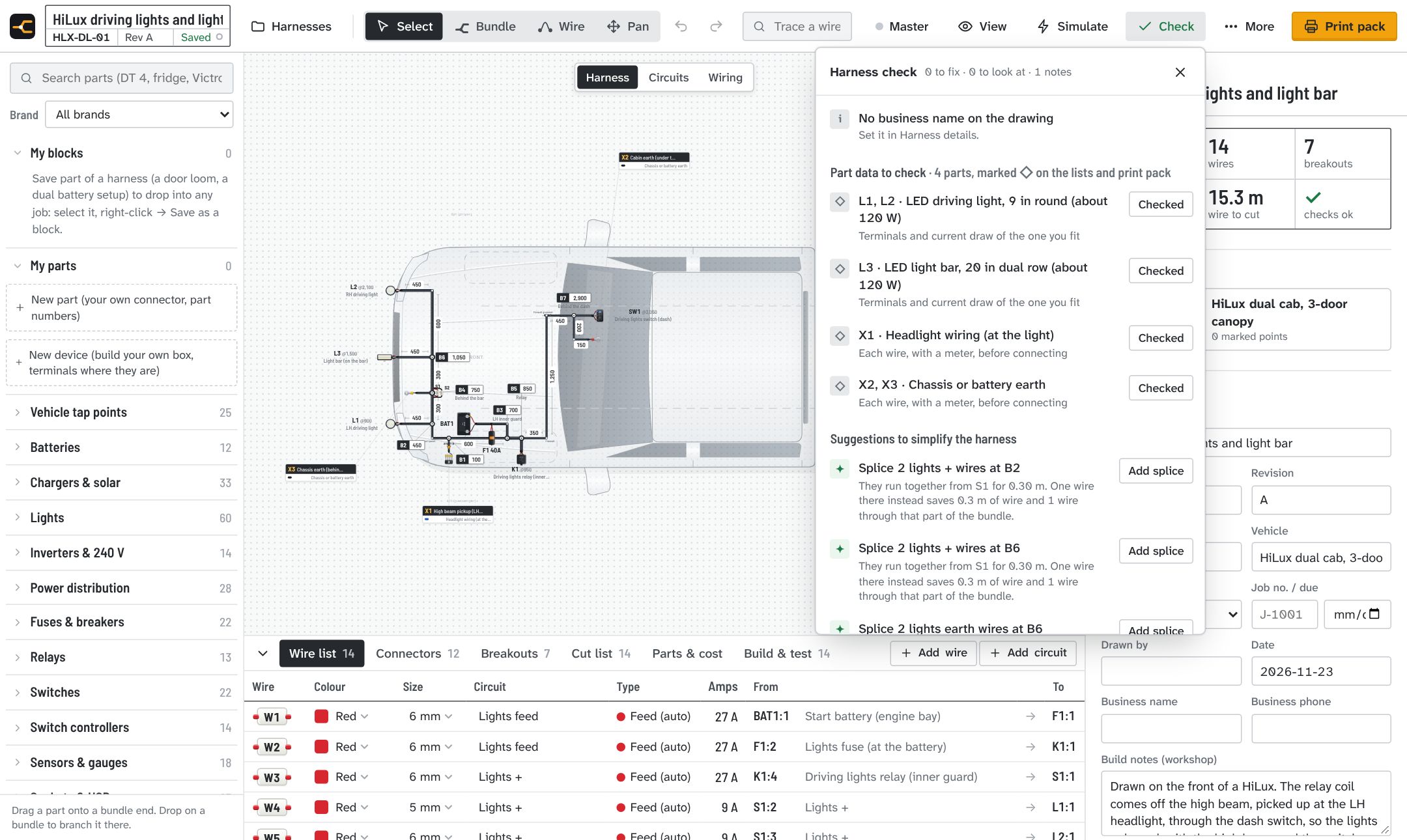
A list of what is wrong or worth a look, each one a click from the spot.
- Cable too small for the load or the run, and voltage drop over the limit you set
- Fuses too big for the cable, and feeds with no fuse
- Missing earths, loose wire ends and unused parts
- Suggested fixes, one at a time or all at once
Put it on the vehicle
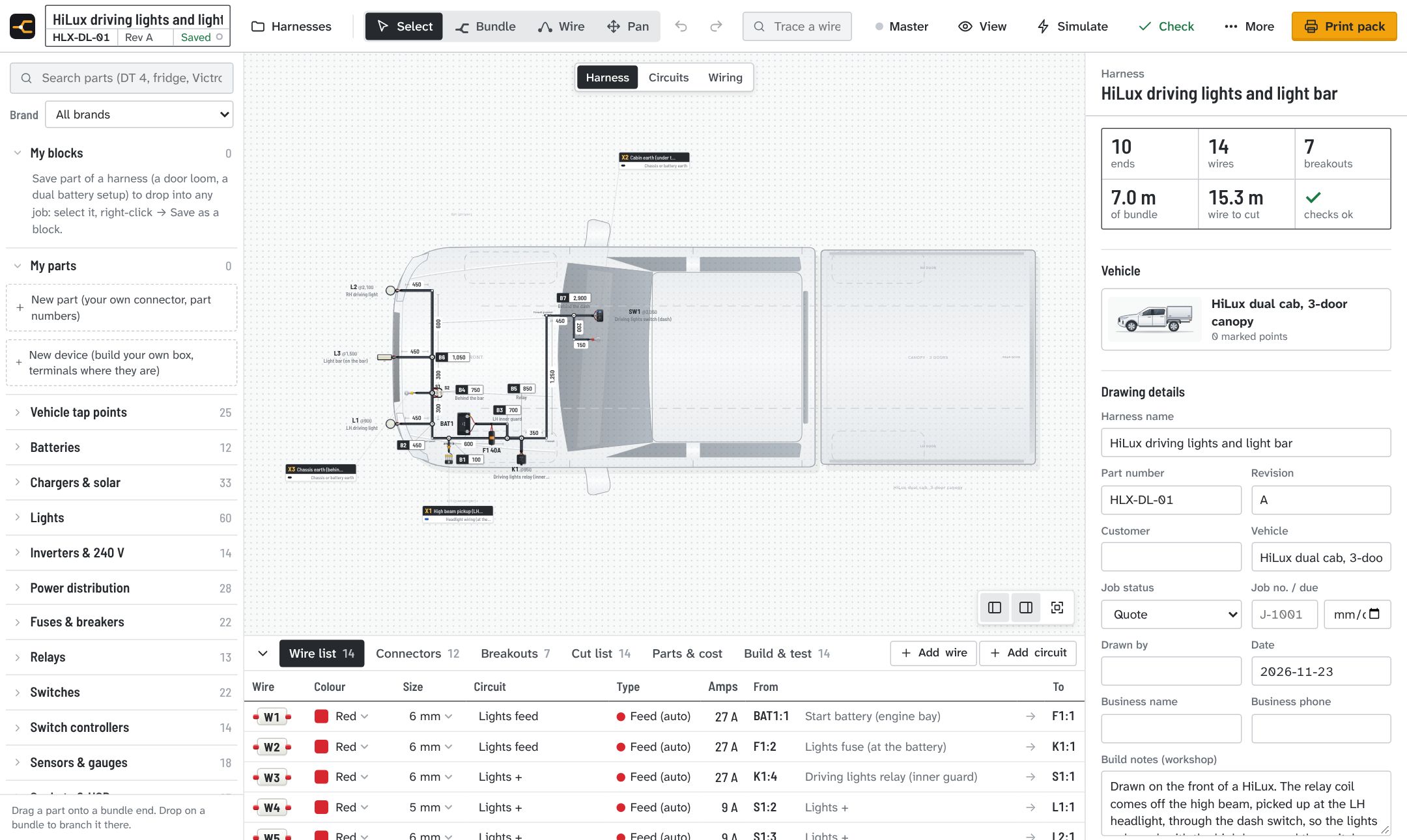
Add an outline and draw the harness where it really runs.
- Outlines for utes, wagons, vans, trucks, trailers, caravans, boats and machines
- Mark your own points: the firewall grommet, the battery, a tap in the loom
- The outline prints on the customer pages so the owner can find things
Energy and the quote
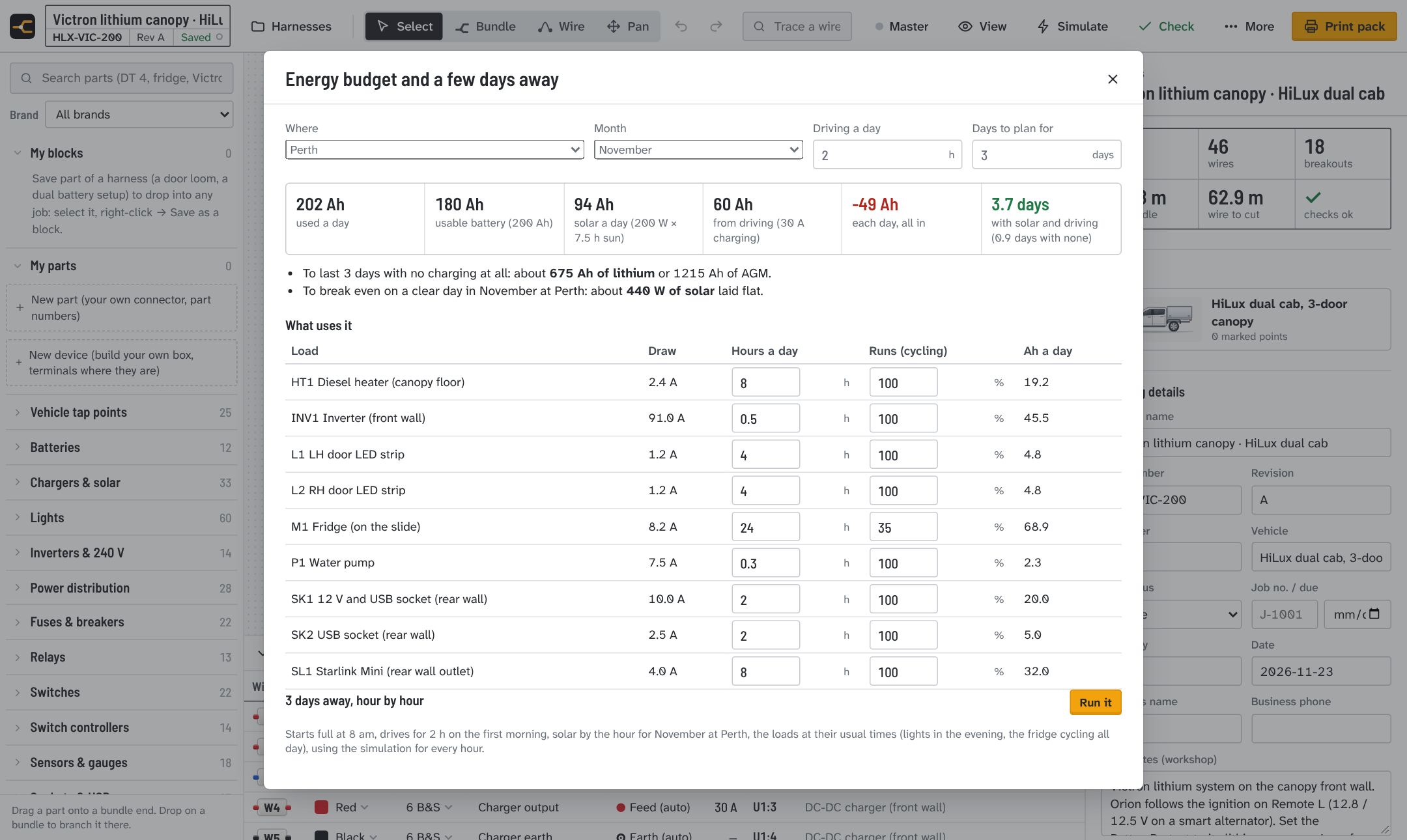
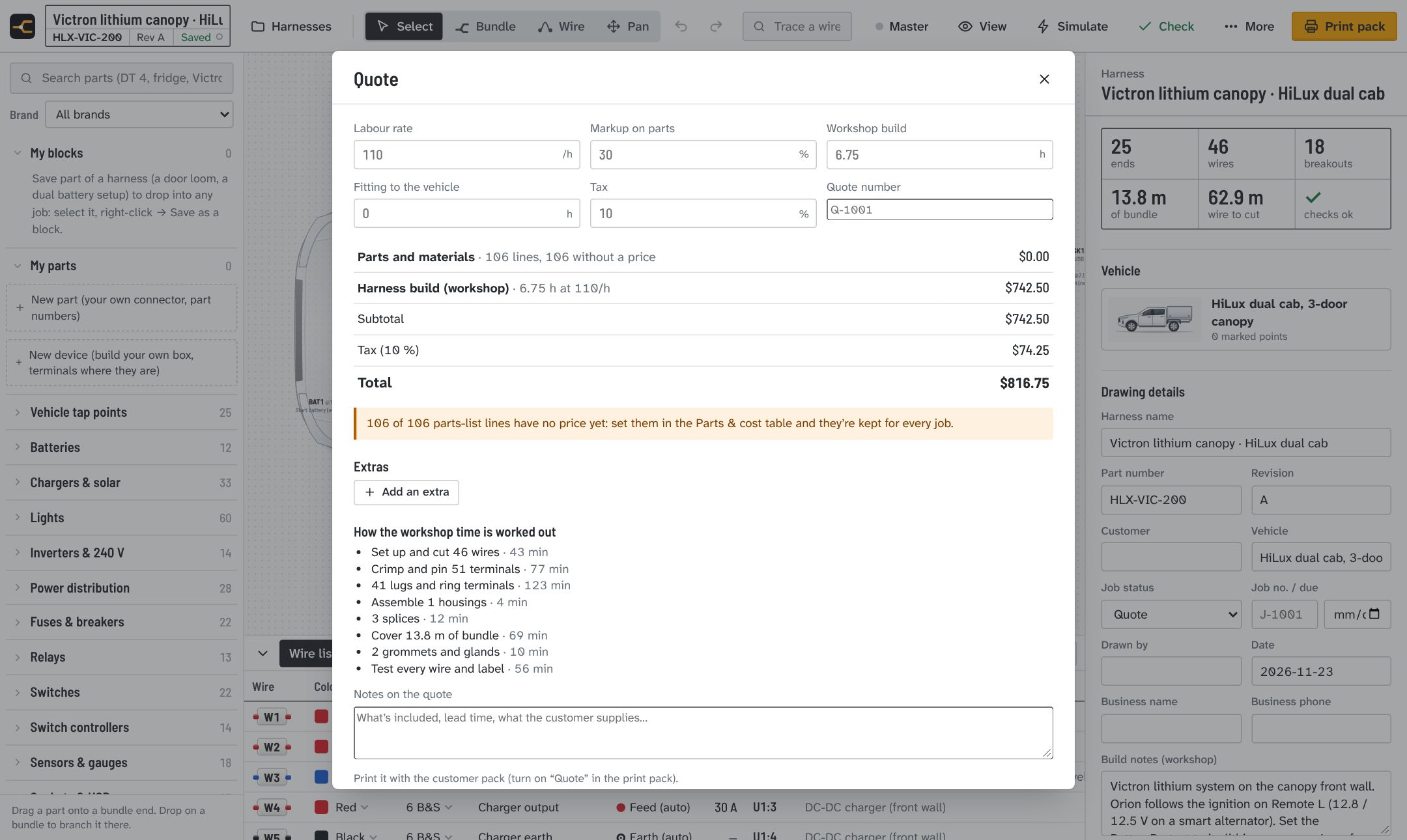
Two questions customers always ask: how long will it last, and what will it cost.
- Hours a day for each load, solar for your town and month, days away hour by hour
- Parts at your prices, labour at your rate, worked out from the wires and terminals in the job
The print pack
Tick the pages you want, on A4 or A3, and print or save a PDF. Thirty-odd sheets for a typical canopy job. Click one to read it.
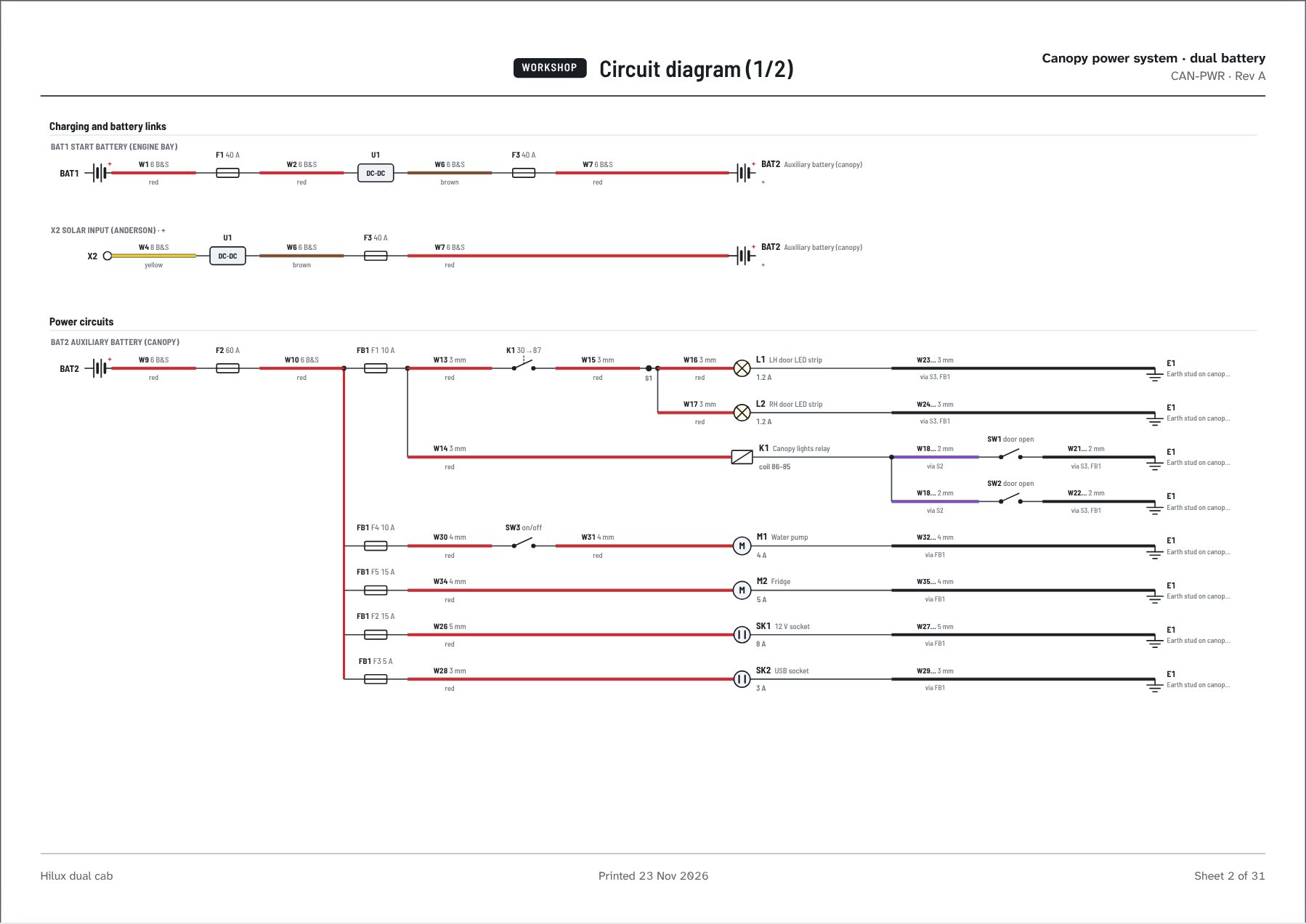
Every circuit from its source, through its fuse and switch, to the load and earth.
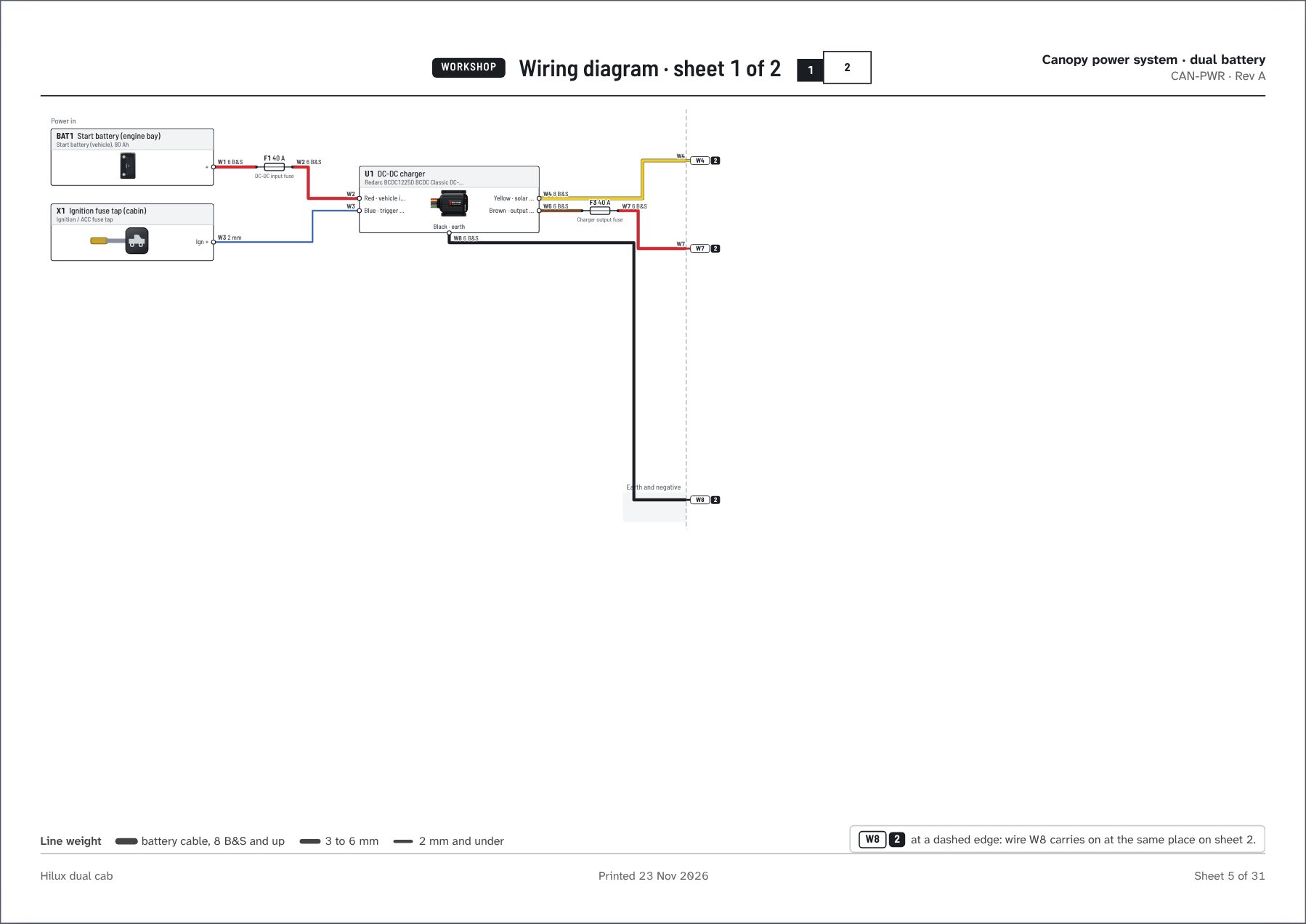
Every part and every wire, split over numbered sheets when the job is big.
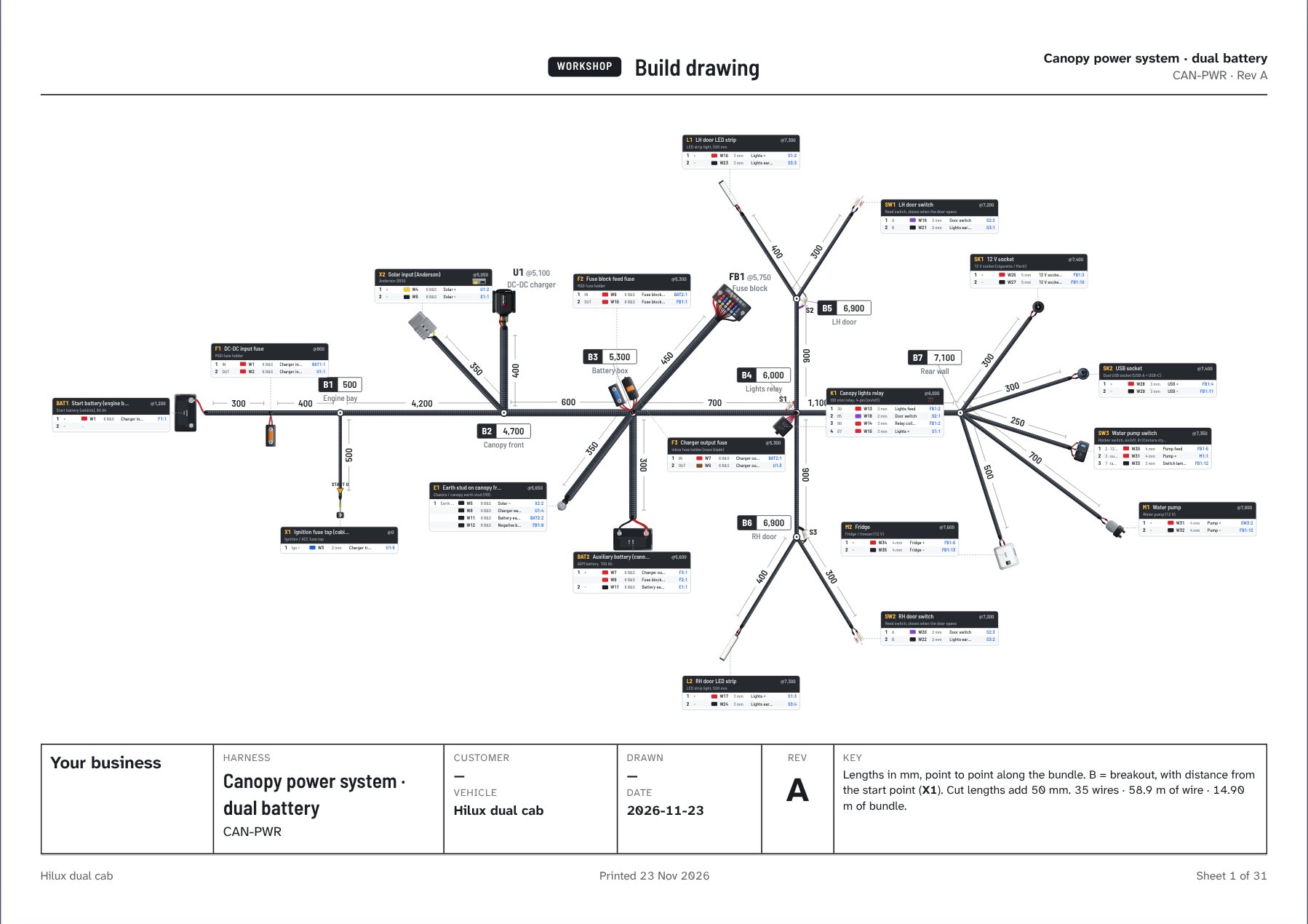
The harness itself, each breakout dimensioned from the start point.
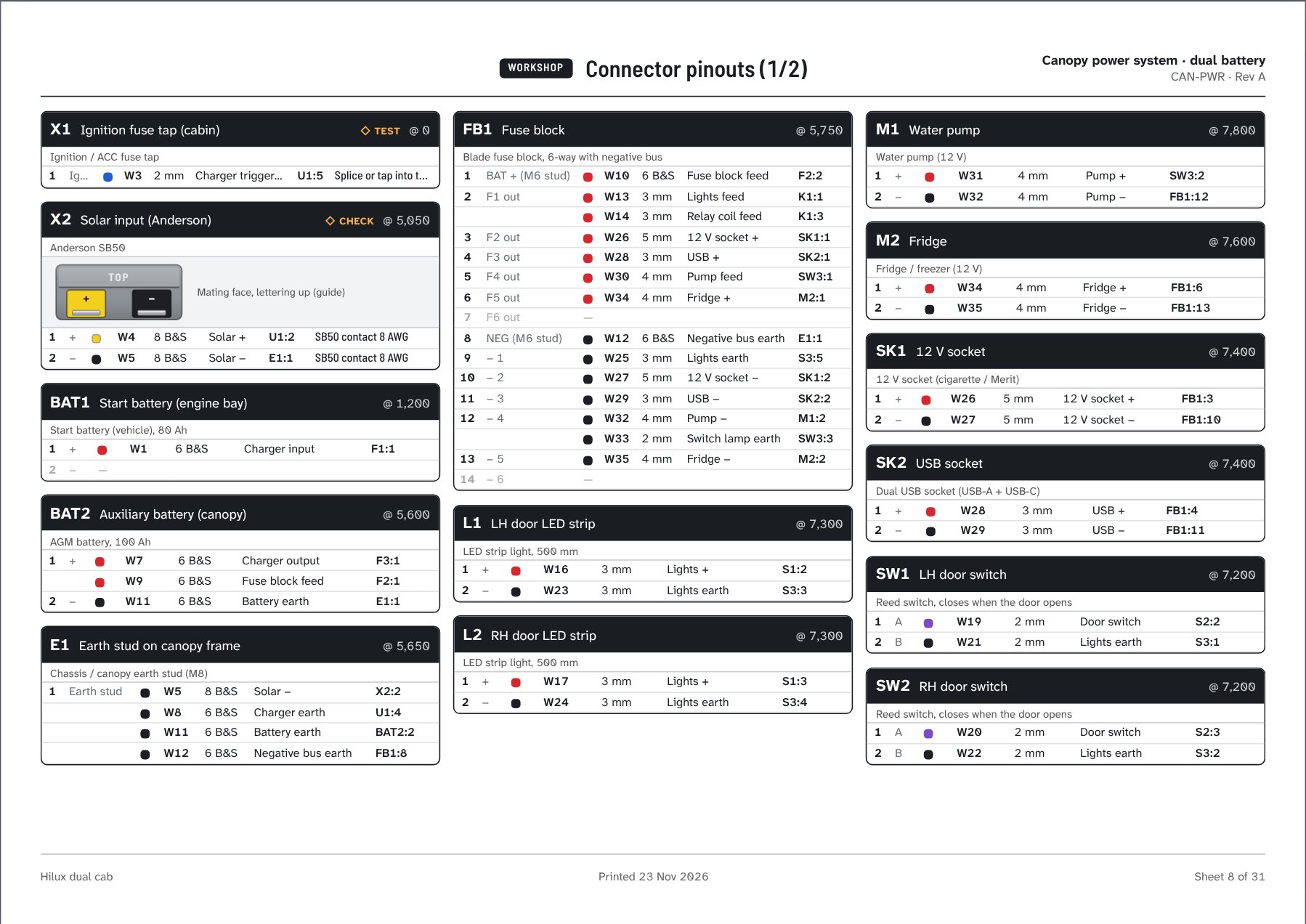
Each connector pin by pin, with the wire that lands on it.
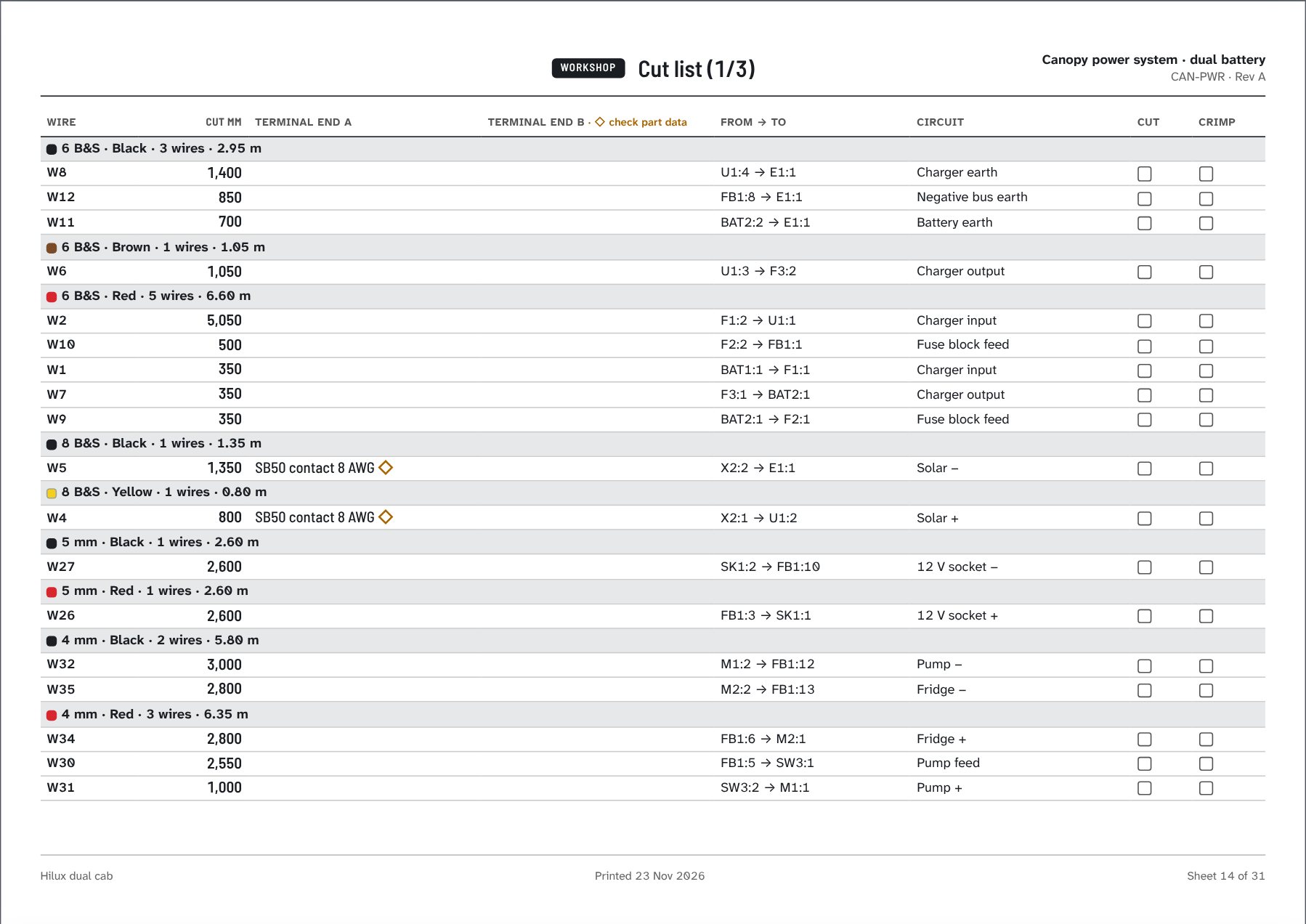
Wires by size and colour, with terminals and the length to cut.
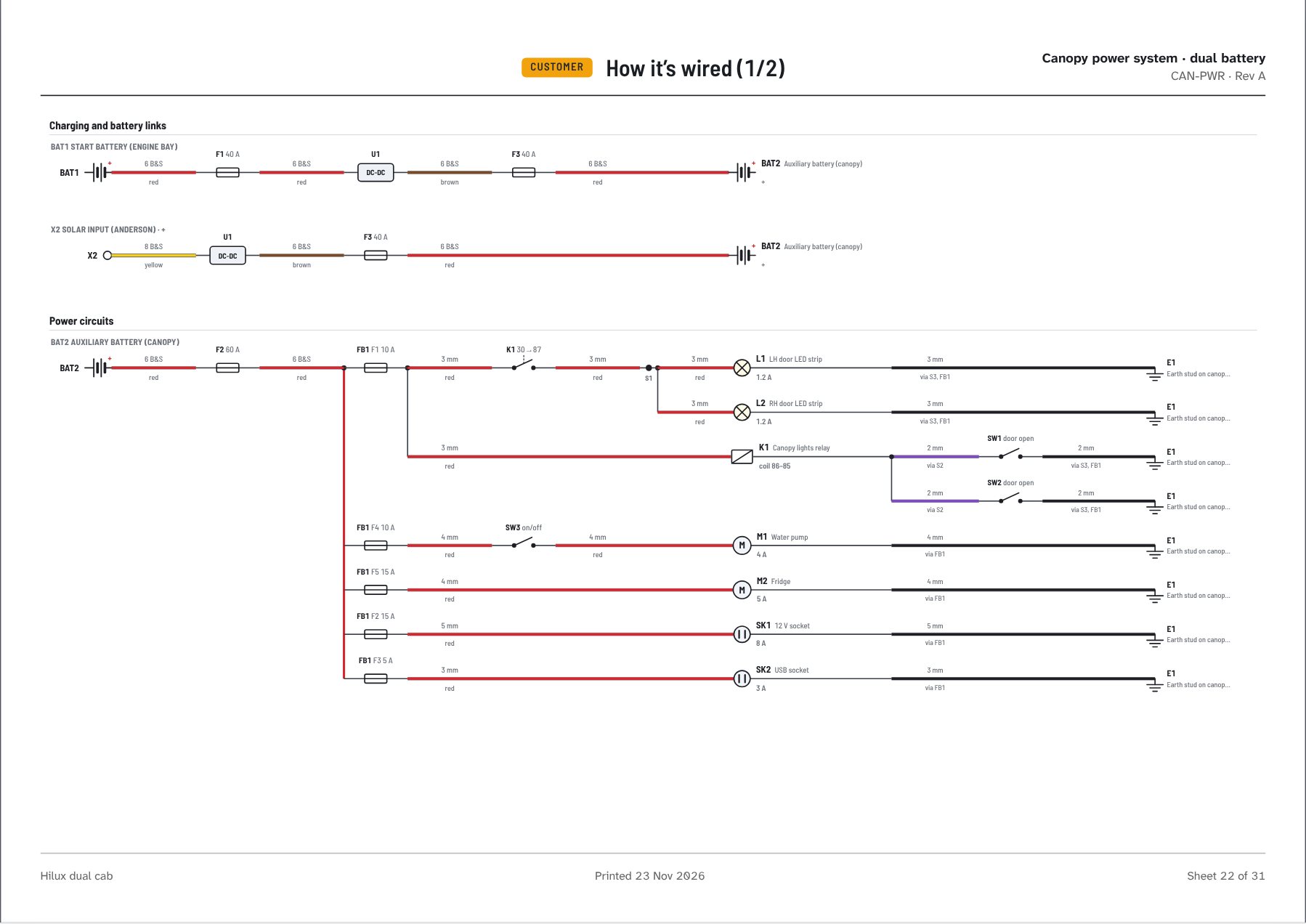
The same circuits in plain words, for the owner.
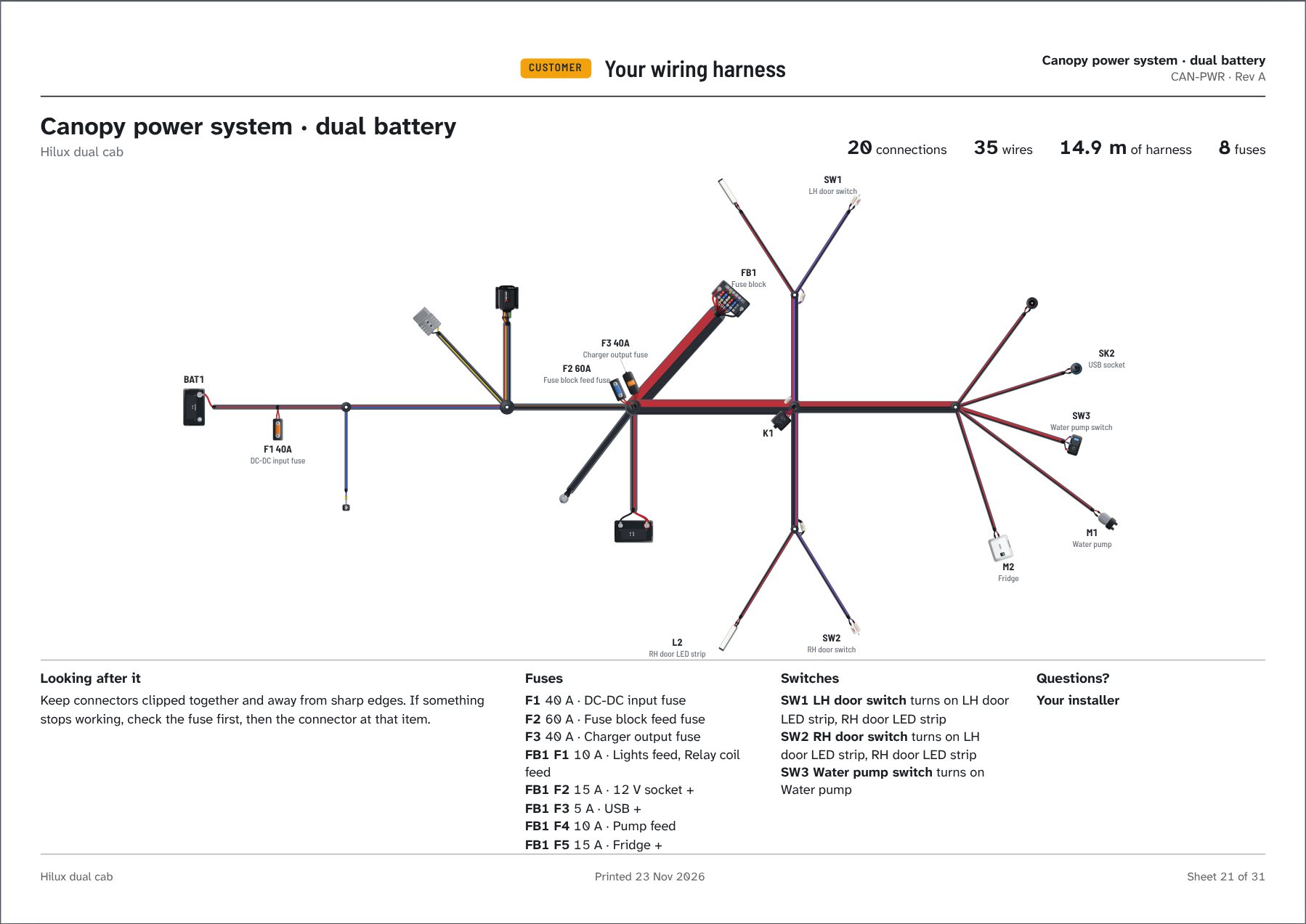
Where everything is, which fuse does what, what each switch turns on.
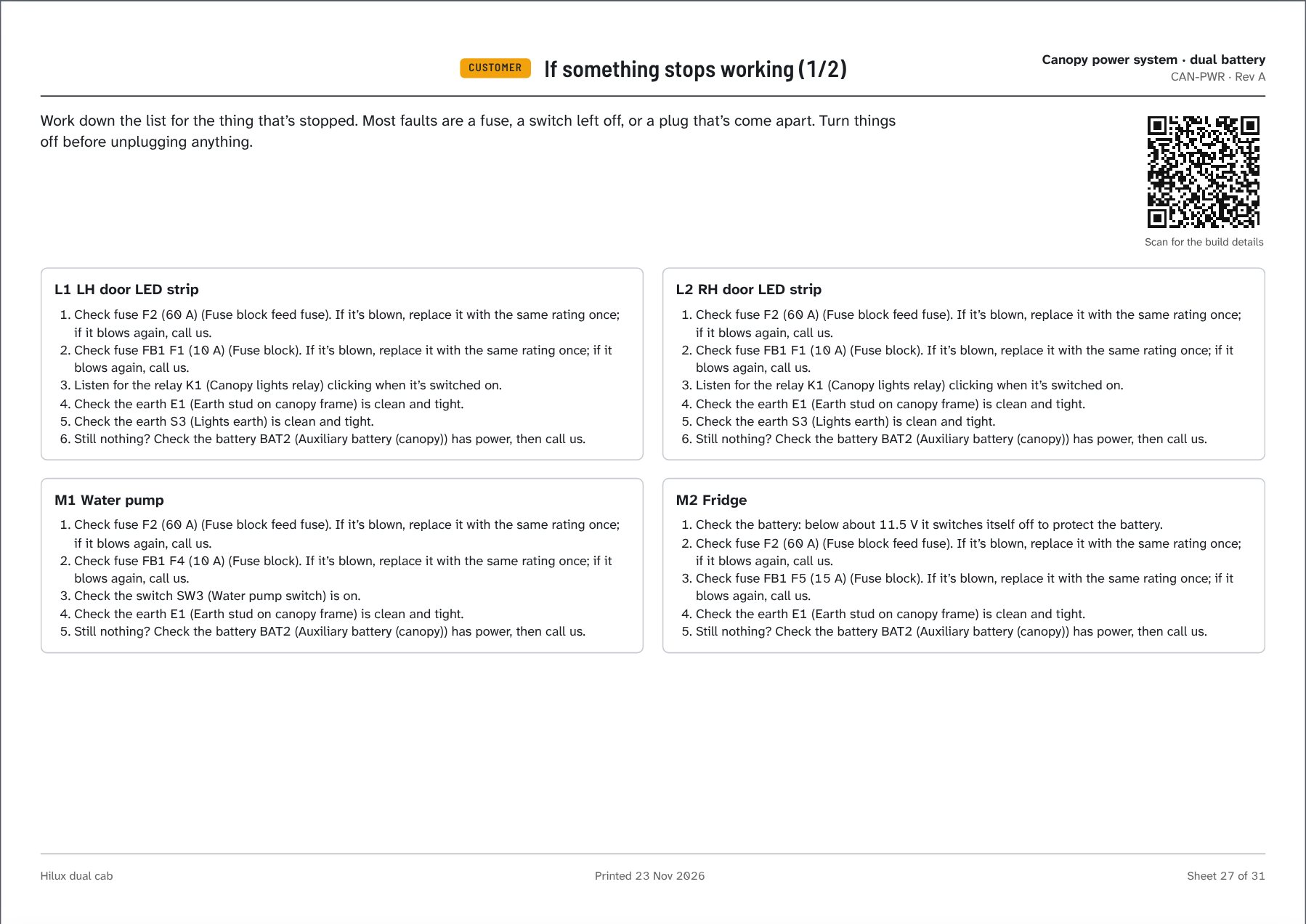
What to check first, load by load.
And for the next job
Options and variants
One master harness with every option, and a saved build for each combination you sell.
Blocks
Save a branch you wire often, a door loom or a dual battery set-up, and drop it into any job.
Revisions
Issue a new revision and compare it with the last one.
Build and test
Tick wires off as they are built and record each continuity test.
Backups
With a licence, back up to a folder as you work (Chrome and Edge), or to a file in any browser.
21 guides
Guided walk-throughs inside the app, and written how-tos you can search.